Feed or Reel, clearly chosen
Prepare text, photos, carousels, or video for the Feed, or send one video as a native Reel to Facebook and Instagram together.
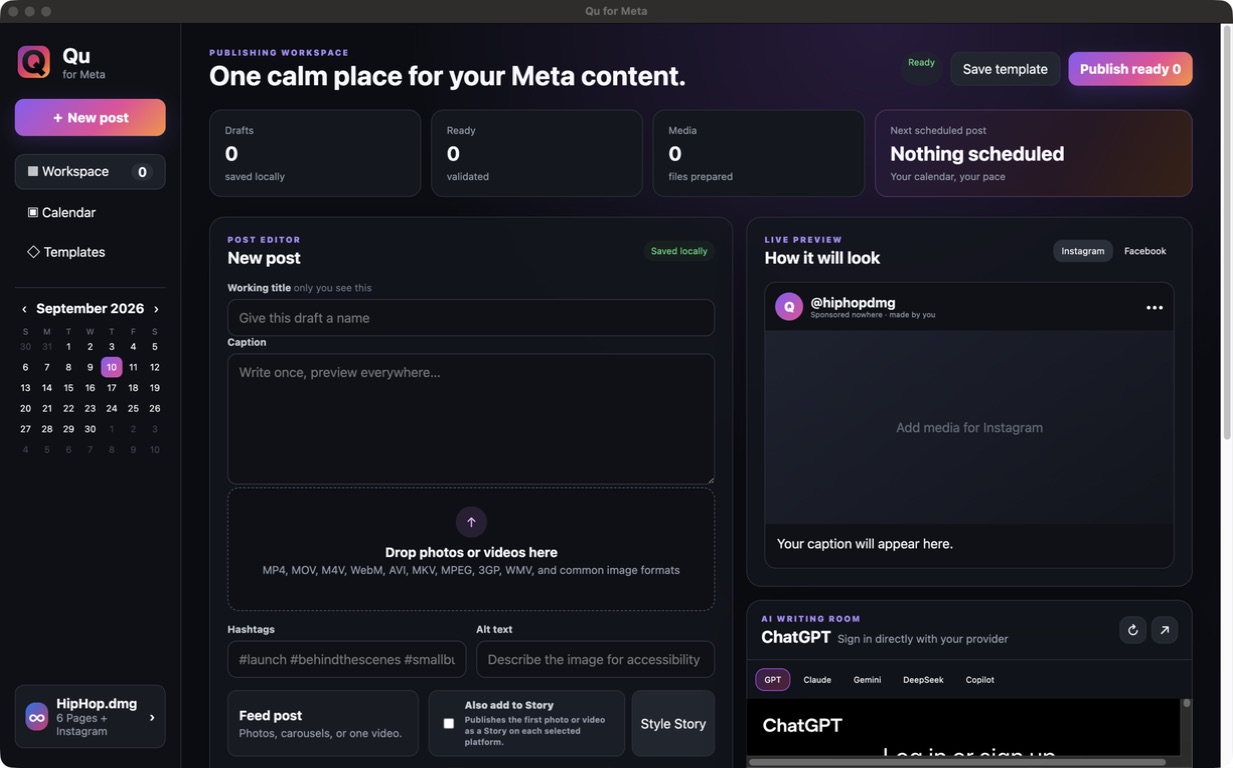
Meta desktop publishing workspace
A visual desktop workspace for preparing, previewing, scheduling, and publishing Feed posts, Reels, and Stories to connected Facebook and Instagram destinations.
Stay in the loop
Get an occasional email when Qu for Meta receives an important new version. No weekly newsletter.
The useful part
Qu for Meta keeps media, captions, crops, filters, previews, destinations, and timing together in one visual queue. Choose a Feed post or publish one video as a native Facebook and Instagram Reel, optionally add the same media to Stories, and keep successful destinations protected when retrying a partial failure. During the beta, a Good Tools tester invitation is required before connecting Meta.
Finding the right tool
Qu for Meta is a visual publishing alternative for creators and small teams who find Facebook and Instagram work hard to track across separate screens.
Feed posts, Reels, Stories, media, captions, crops, filters, destinations, timing, confirmations, and partial-failure retries stay together, while beta access remains limited to approved testers.
What it does
Prepare text, photos, carousels, or video for the Feed, or send one video as a native Reel to Facebook and Instagram together.
Add the same photo or video to Stories and style photo Stories with draggable text, stickers, uploaded GIFs, and GIPHY search.
Organize local drafts and scheduled work, then retry only failed destinations without reposting successful ones.
Early testers can follow the built-in Meta invitation steps and verify all required publishing permissions before posting.
How Qu for Meta stays good
Keep looking