On Mac
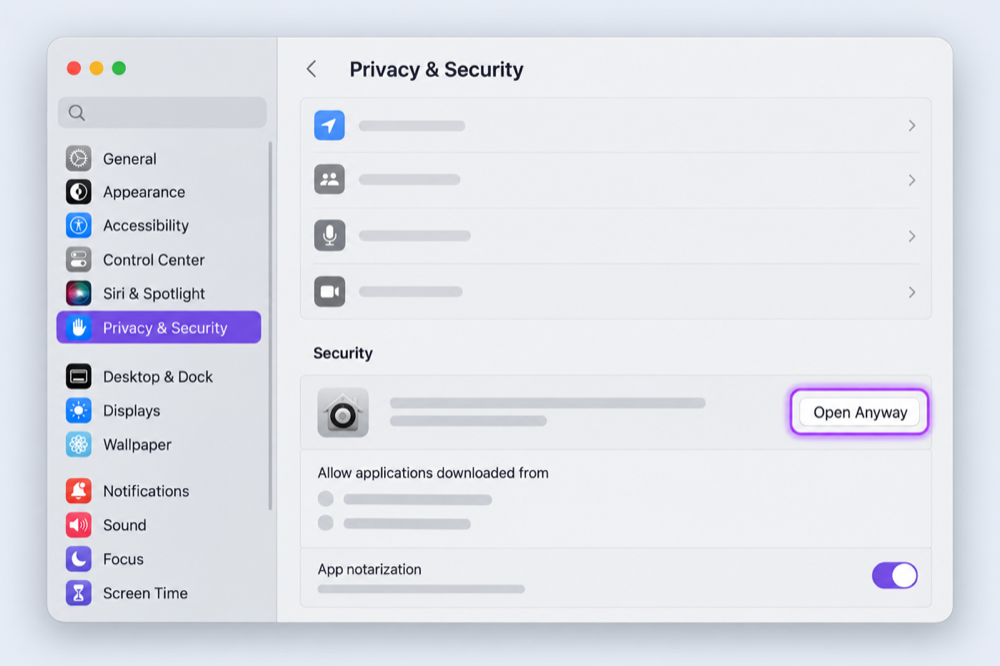
- Try to open the downloaded installer once.
- Open System Settings →︎ Privacy & Security.
- Scroll to Security, choose Open Anyway, then confirm.
First-time install
Some of our beta installers are not signed yet, so macOS or Windows may show a security warning. Only continue when you downloaded the installer from GoodTools.ca or our official MadeByGoodTools GitHub account.
Choose your system
Follow the instructions for your computer. You do not need to turn off its security protections.
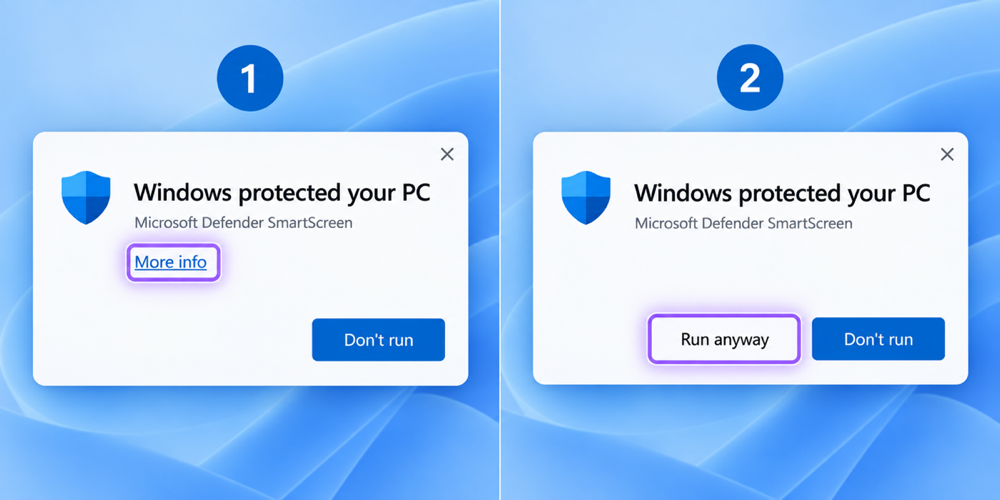
Stop if the warning says the file is damaged or malicious. That is different from an “unknown publisher” warning. Download a fresh copy from GoodTools.ca or email hello@goodtools.ca.
Ready?