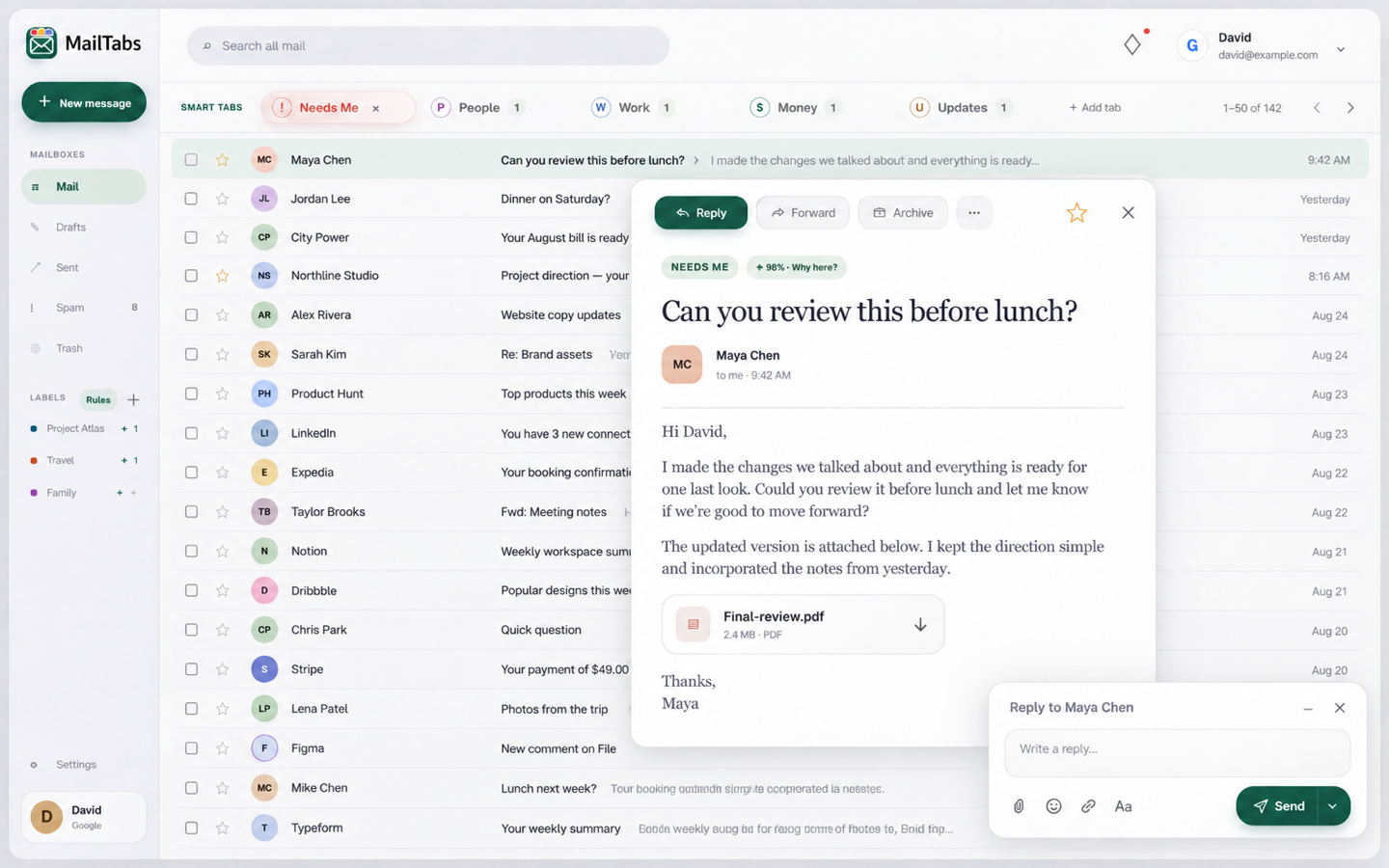
Five tabs with a purpose
Needs Me, People, Work, Money, and Updates separate action from reference without hiding important mail.
Email workspace

A calm Gmail workspace that sorts busy inboxes, learns personal rules, and keeps reading and writing in one clear place.
The useful part
MailTabs turns Gmail into five understandable spaces—Needs Me, People, Work, Money, and Updates—while keeping real Gmail labels, search, reading, writing, signatures, and everyday organization together. You can teach it where recurring mail belongs, rescan the inbox, and use natural-language writing without losing control of the recipient or final message.
Finding the right tool
MailTabs is an email organizer for people who want more useful Gmail categories without replacing familiar reading, search, labels, signatures, and composing.
Its five clear inbox tabs—Needs Me, People, Work, Money, and Updates—make it easier to find messages by purpose while personal rules help the organization improve over time.
What it does
Needs Me, People, Work, Money, and Updates separate action from reference without hiding important mail.
Teach recurring senders and subjects where they belong, then rescan the inbox with the updated logic.
Labels, pinned mail, bulk actions, search, pagination, and message actions remain connected to Gmail.
Compose naturally, reuse Gmail signatures, resolve real contacts, and review the recipient and message before sending.
How MailTabs stays good
Keep looking