Layered editing
Build artwork with layers, nested groups, masks, blend modes, opacity, transforms, and non-destructive adjustments.
Browser image editor

A free, device-local image editor with layers, masks, familiar creative tools, and support for professional image formats.
The useful part
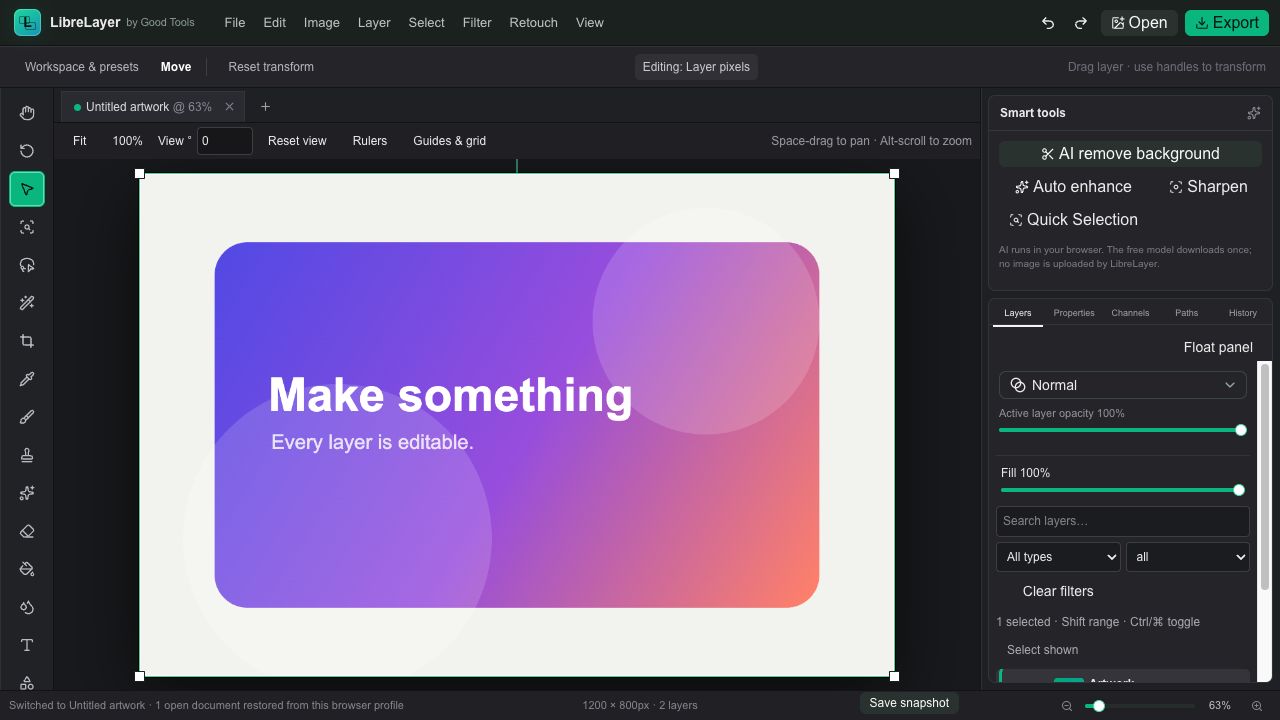
LibreLayer opens directly in the browser and keeps editing on your device. Work with layers, groups, masks, selections, brushes, text, adjustments, transforms, and familiar keyboard shortcuts; open common images, PSD and PSB files, and save editable LibreLayer projects for later.
Finding the right tool
LibreLayer is a free, open-source browser editor for people comparing Photoshop, Photopea, and other layered image editors without wanting a mandatory cloud upload.
It opens PSD and PSB files alongside common image formats and provides layers, groups, masks, selections, text, brushes, shapes, transforms, and non-destructive adjustments in a familiar workspace.
What it does
Build artwork with layers, nested groups, masks, blend modes, opacity, transforms, and non-destructive adjustments.
Use selections, brushes, shapes, text, crop, fill, healing, cloning, and other recognizable editing controls.
Open PNG, JPEG, WebP, TIFF, PSD, and PSB files, then export finished work or save an editable LibreLayer project.
Editing stays on your device, and the browser app can be installed for a focused workspace with offline support.
How LibreLayer stays good
Keep looking